
Documentation
Controls
| Encoder | A knob over a range of values, with its ring and value on the screen. Steps can be named, and named steps are written around the ring. |
| Centered encoder | Zero sits at the top of the ring. Turn left for values below zero and right for values above, for pan or detune. |
| Icons | Steps can be drawn as icons, such as waveforms or filter shapes, in place of text. |
| ALT layer | Any knob can have a second parameter, reached by holding a corner key while you turn it. |
| Multiple encoder | Several values on one knob, such as an envelope's attack, decay, sustain and release. Hold ALT and turn to pick which one the knob changes. |
| Button | Press to switch on, press again to switch off. While it is on, its key on the screen fills with the control's colour and the key itself lights. |
| Momentary button | On while you hold it, off when you let go. |
| List | One or two keys that step through a list of values, such as play modes or scales. It can stop at the ends, wrap around, or bounce back. |
| Switcher | Swaps a whole block of knobs between sets, picked by keys or by a knob. One page can hold oscillator 1 and oscillator 2 on the same knobs. |
| Page links | Keys that open other pages. |
| Snapshots | Keys that store every value on the page (ALT and press) and call it back (press), at once or with a fade. |
| Clock | Makes KARL the MIDI clock: a tempo knob, a start and stop key, and tap tempo. |
| Step sequencer | 16 steps, with pitch, octave, velocity and length on the knobs. It follows KARL's clock or one from outside. |
| Text | A label or a note on the page. |
On and off
For anything that is either on or off, such as an effect, a mute or a filter, use a Basic Button. While it is on, its key on the screen fills with the button's colour. While it is off, the key stays dark with a line in that colour under the name.
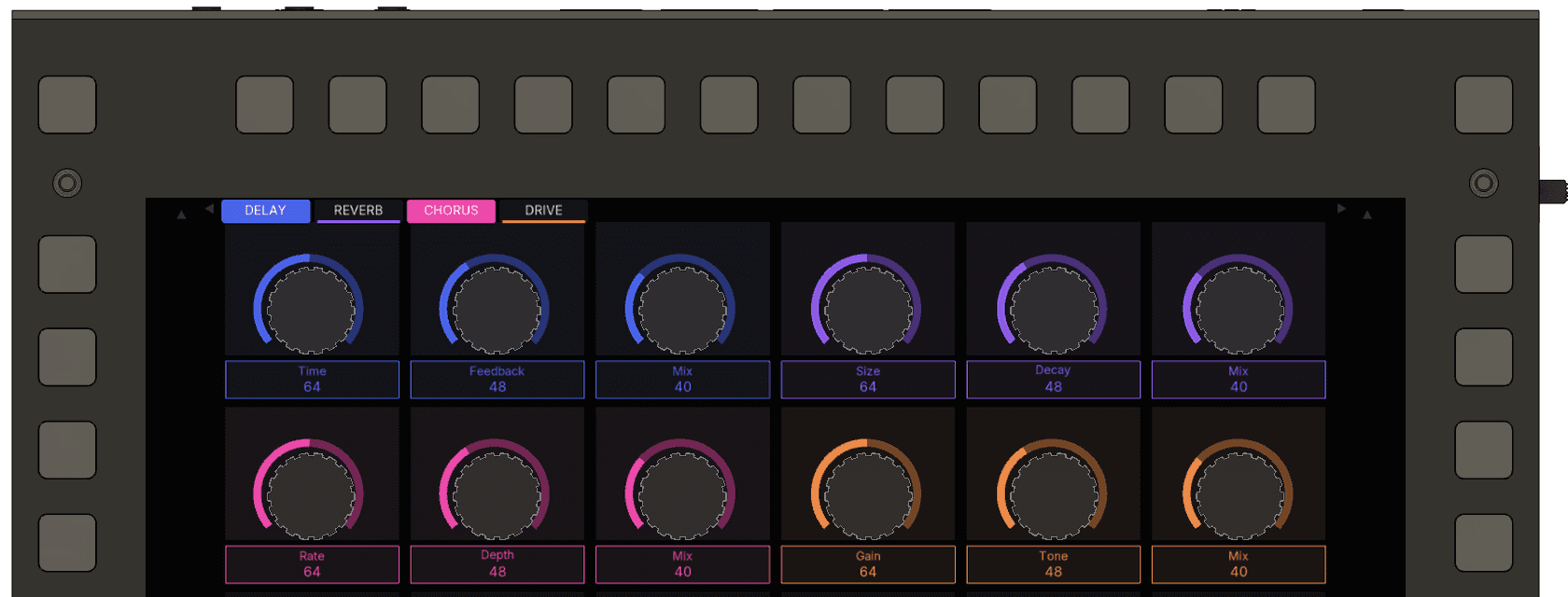
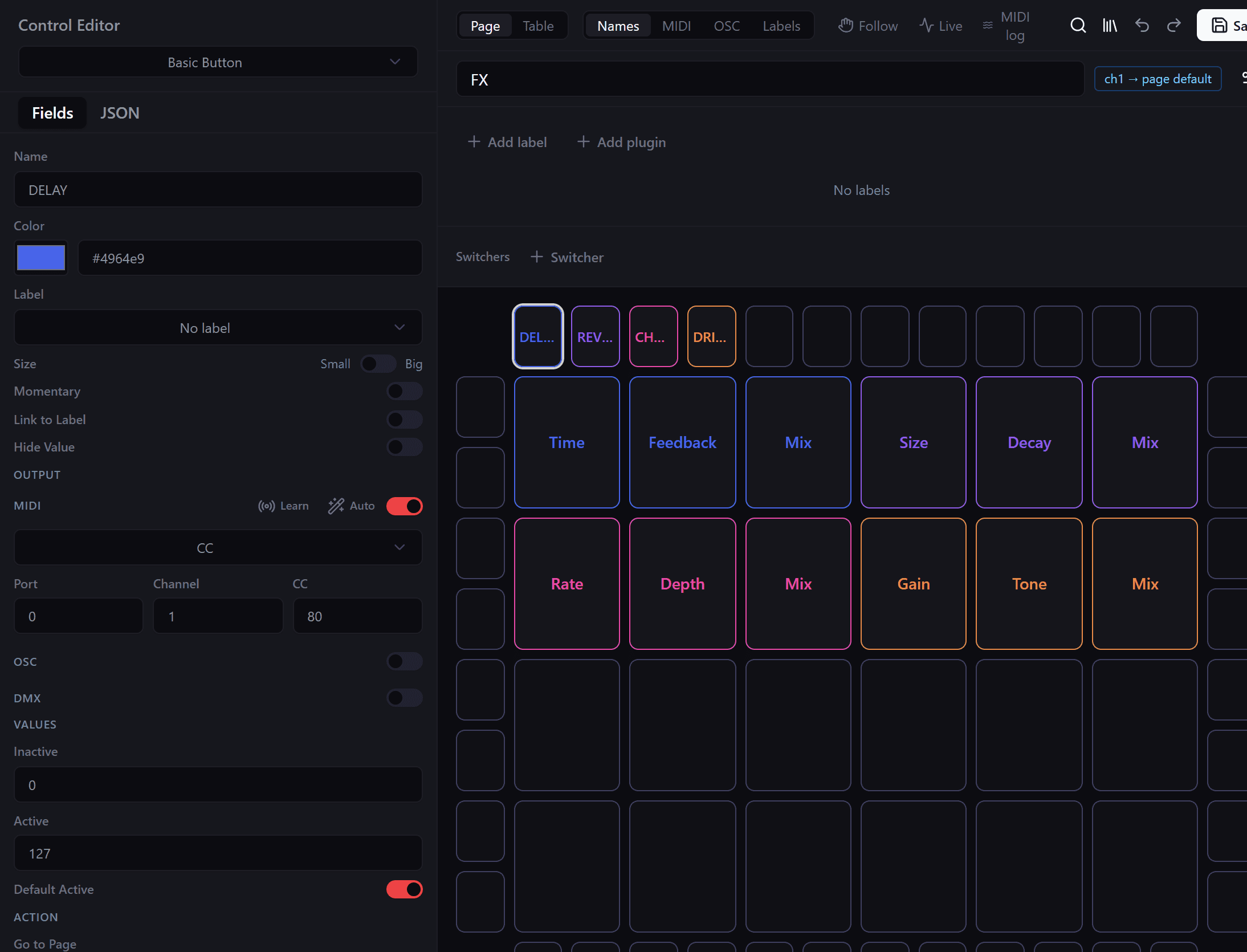
In the configurator:
- Click an empty key on the page. It starts as a Basic Button, the type shown at the top of the Control Editor.
- Give it a name and a colour.
- Under Values, Inactive is what it sends when off and Active what it sends when on. They start at 0 and 127, which suits a MIDI CC.
- Turn on Default Active if it should start switched on.
- Turn on Momentary if it should only stay on while you hold it.
A Stepped List with Off and On also works. It writes the value on the key and never fills it, so keep lists for three values or more.
Name and value under a knob
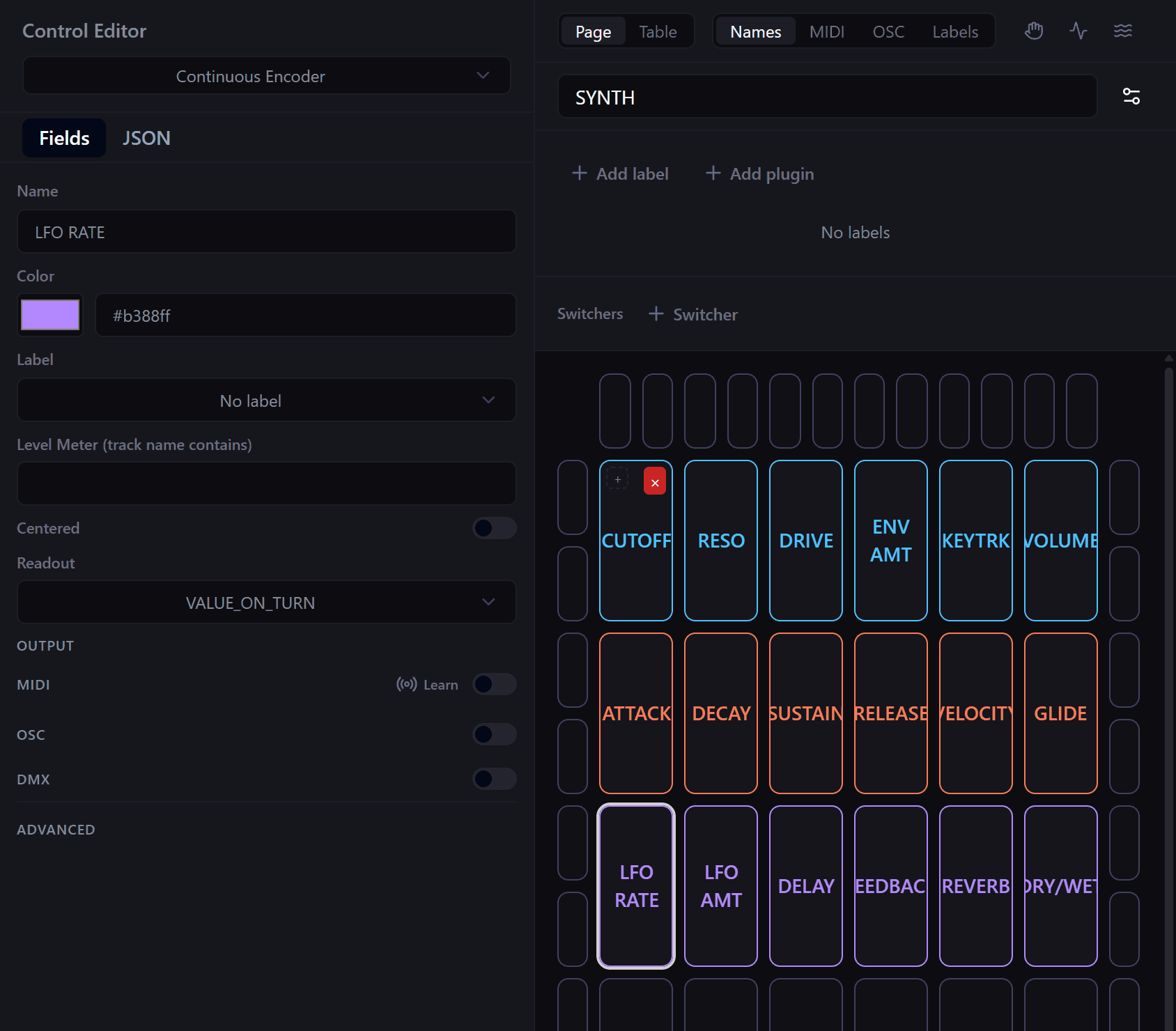
Readout, in the Control Editor, sets what the box under a knob shows:
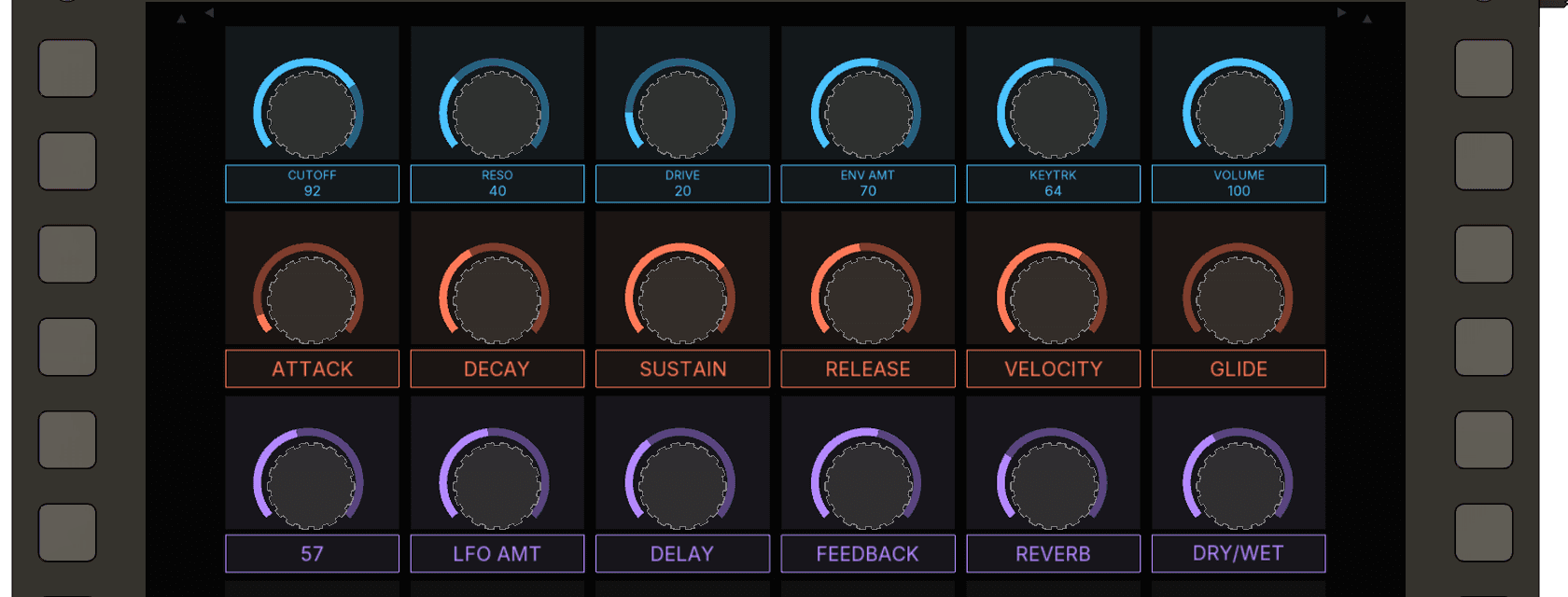
- VALUE_ON_TURN shows the name in larger text. While you turn the knob, the value takes its place, and the name comes back 1.2 seconds after you stop. While you hold ALT on a knob with no ALT layer, the box shows the value you are previewing. This is the default.
- NAME_AND_VALUE shows the name with the value below it, in small text.
- NAME shows the name alone, in larger text.
A name or value too long for its box is drawn smaller. If it still does not fit, the end is cut and replaced with an ellipsis.
Sizes and places
Knobs take one of the 24 slots. Keys take one slot along an edge, or two side by side for a list with a left and right arrow. Two slot keys sit on fixed pairs along each edge: the first and second slot, the third and fourth, and so on. The four corner keys are always ALT. Names stay on one line: a name too long for its key is drawn smaller, then cut with an ellipsis.